
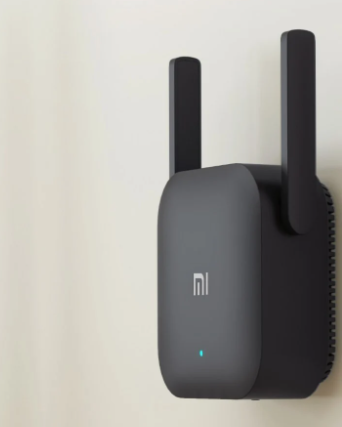
If your router fails to guarantee coverage of the entire home, the ideal solution could be to install a WiFi repeater.
In this way, the signal will be amplified and there will no longer be any problems with slowdowns or gray areas.
But how exactly does a WiFi repeater work and how to choose a good device? If you are not very experienced in the field, in all likelihood you will have asked yourself these questions which we will try to answer today.
We will do it in a simple and clear way so that we can help you in choosing a good WiFi repeater.
How to Choose the Best Wifi Repeater
The WiFi repeater does nothing but amplifies what is the signal of the main modem router, be it ADSL or Fiber Optic. Just connect the device to your computer via an Ethernet cable or hook up the signal to your computer.
In a very short time, the WiFi signal will have complete coverage throughout the home, even where it was struggling to reach before.
Choosing a good WiFI Repeater
To choose a good WiFi repeater you have to consider some parameters that will allow you to get the best result.
First, check that the repeater is compatible with the basic modem router and that it has the same standards or higher standards.
But it does not need to be of the same brand. Starting from this point, you can venture into the choice of the repeater, here are some parameters.
Shape
The WiFi repeater can have different shapes, it can be similar to the modem router or more compact, to be connected directly to the power outlet.
Check that the package says “repeater”, do not confuse it with the router even if they have the same shape, because the operation will be different.
Supported WiFi Type (Classes)
The WiFi classes supported by a repeater are different and consequently, the data rate will be different. Let’s take some examples:
- wireless class 802.11 b (what we could define as the oldest) reaches up to 11 Megabits per second,
- 802.11g wireless class reaches up to 54 Mbps per second
- wireless class 802.11 n class (the most widespread) reaches 450 Mbps.
- 802.11 AC wireless class, (the most recent class and supported by the latest generation devices) can reach 1.3Gbps (or 1331 Mbps) speed.
Frequency Bands
Another aspect to consider when buying a WiFi repeater is the frequency bands, that is, those on which the radio waves travel.
Dual-band frequencies support both the 2.4GHz and 5GHz radio bands, the latter allowing you to eliminate annoying interference but having a more limited range of action.
Finally, there is the Tri-Band which supports a 2.4GHz band and two 5GHZ bands, this type of band is not very widespread and dedicated only to those with advanced needs.
MU-MIMO Technology
Another aspect to take into consideration and typical of medium-high-end devices is the MU-MIMO support.
We are talking about a technology that takes advantage of the 5GHz frequency band and allows the WiFi repeater to communicate with up to four devices simultaneously.
The guaranteed data transfer efficiency is therefore high, especially in light of the fact that traditional repeaters (that is, without this technology) communicate with only one device at a time.
It should be noted, however, that in order to make the most of Mu-MIMO technology, it is also necessary that the target devices (computers, tablets, smartphones, etc.) are prepared for its use.
Beamforming or Beamforming + Technology
The Beamforming or Beamforming + technology consists of a targeted addressing of the signal that directs the wireless network (the 5GHz one) to the specific devices that need it.
This allows for faster communication with target devices and better network performance.
Access Doors
When buying a WiFi repeater it is good to also keep in mind how many and what type of entrance doors are present. The access doors can be:
Ethernet ports – Those that allow you to connect devices to the Internet via cable.
They can be of two types:
Fast Ethernet that ensures data transfer speeds of up to 100Mbps
Gigabit Ethernet is super-fast and is able to transfer data at a maximum speed of 1,000Mbps.
USB ports – are those inputs that allow peripheral devices such as printers or hard drives to be connected to the network
Audio inputs – Through which it is possible to convert any traditional audio system or speaker into a Wi-Fi device in order to play music from mobile devices (smartphones, tablets) or computers with a simple click.
Do not forget the antennas mounted on the WiFi repeater taking into consideration the number, type, and power. Remember that antennas can be internal or external, fixed or removable.
Final Words
When you have considered all these parameters you will be able to choose the best WiFi repeater according to your needs.
All that remains is to choose the brand and model that contains all the features you need, after which you will finally have excellent coverage of the WiFi signal.